Getting Started with SnapCyte™
Welcome to SnapCyte™—your all-in-one platform for fast, accurate, and reproducible AI image analysis in cell biology. Whether you're analyzing cell confluency, performing cell counts, or running an invasion assay, this guide helps you get started with the setup that fits your lab.
Set Up Your Account
Step 1: Create an Account
Use your institutional email to sign up and get access to SnapCyte’s free research-use version: Research Access
Step 2: Choose Your Access Method
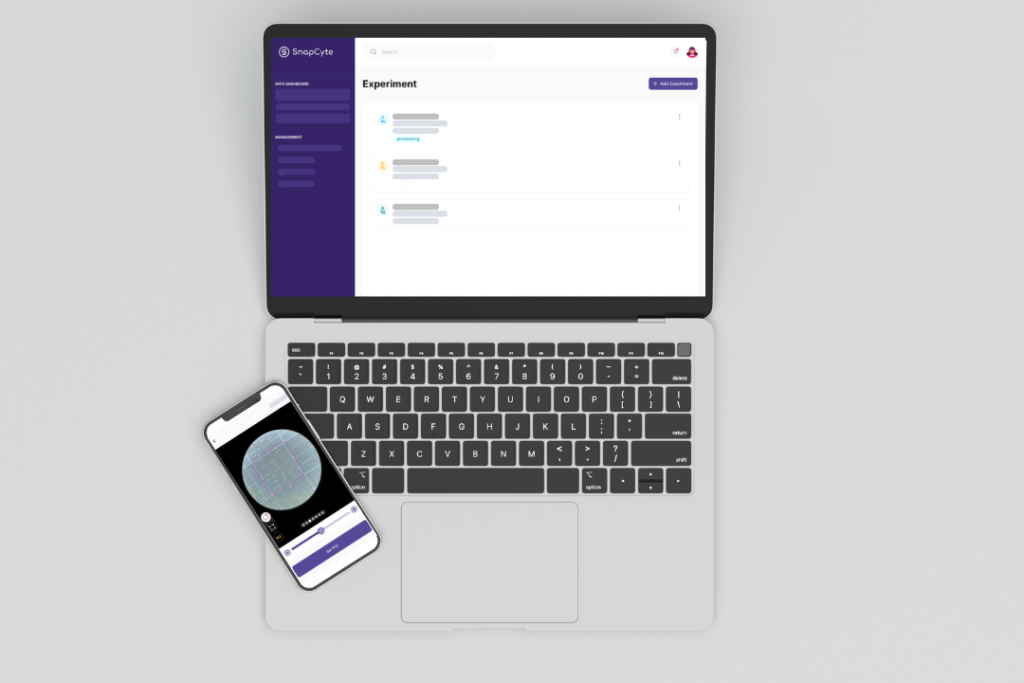
- Webapp (Recommended): Visit app.snapcyte.com. and log in using your account credentials. The web platform offers the full range of SnapCyte™ features, including advanced assays. This is ideal for labs with digital microscopes or exported images using digital microscope cameras.
Mobile App (Optional): Download SnapCyte™ on iOS or Android to capture and analyze images using your phone. Ideal for labs that don’t have digital microscopes and want to use their smartphone or tablet to capture and analyze images directly through the app.
⚠️ Note: Some advanced assays, including adherent cell count and export options, are only available on the web app.
Set Up for Image Capture
1. If You’re Using a Digital Microscope:
- Connect your microscope to your device (smartphone, tablet, or computer) using the provided cables or Bluetooth.
- Configure your microscope settings for optimal image capture.
- Capture high-resolution images.
- Log in at app.snapcyte.com and upload them.
Proceed to analysis via Snapshots and Experiments
2. If You’re Using a Manual Upright Microscope:
- Use one of the adapters below to capture images from your microscope:
- Celestron – NexYZ DX
- Swift 5.0 Megapixel Digital Camera
- Attach the adapter to your microscope according to the manufacturer guideline. We have a a tutorial below for Celextron NexYZ for your convenience. Start taking pictures with your mobile phone or directly in the SnapCyte™ Mobile App.
- Proceed to analysis via Snapshots and Experiments.
Understand Snapshots & Experiments
SnapCyte™ offers two ways to organize and analyze your cell images:
Snapshot
A fast, one-off analysis for up to 10 images. Use it when you just want to test the tool or quickly analyze a few fields of view—no need to label replicates or treatment groups.
→ Ideal for trying out the model or checking image quality before setting up a real experiment.🎥 Watch: What Is a Snapshot in SnapCyte™ and learn how to use Snapshots for fast, one-off cell image analysis across assays like cell count, confluency, and invasion.
- Experiment
A structured analysis for full experiments. Upload multiple images grouped by time points, treatment conditions, or replicates. SnapCyte™ will process the entire dataset and return grouped outputs you can export or compare.
→ Ideal for data you’ll include in publications, figures, or statistical comparisons.
🎥 Watch: What Is an Experiment in SnapCyte™ and learn how to run a full experiment in SnapCyte™.